

AirPrompter documentation
AirPrompter documentation
Turn the AI instructions that work into reusable prompts and workflows you can apply to real work every day.
Available
AirPrompter is the place where you keep the AI instructions that are worth using again. Instead of reconstructing a good prompt in every chat, you save the instruction once, improve it as you learn, and arrange related instructions into a repeatable workflow.
What AirPrompter changes in your day-to-day work
Without a reusable system, the quality of an AI result depends on whether you remember the right context, constraints, and format each time. AirPrompter lets you preserve those decisions.
For example, after a client meeting you might repeatedly need to:
- create one factual record containing decisions, questions, actions, owners, and dates;
- draft an audience-specific follow-up from the accepted record; and
- independently audit the draft against the notes and record for unsupported commitments.
Those are three distinct responsibilities. The first keeps facts extracted from the same evidence in one coherent record; the second changes the output for a specific audience; the third provides an independent gate. Save them as focused prompts in one Client meeting follow-up workflow. The next time a meeting ends, start with new notes but reuse the same process and quality checks.
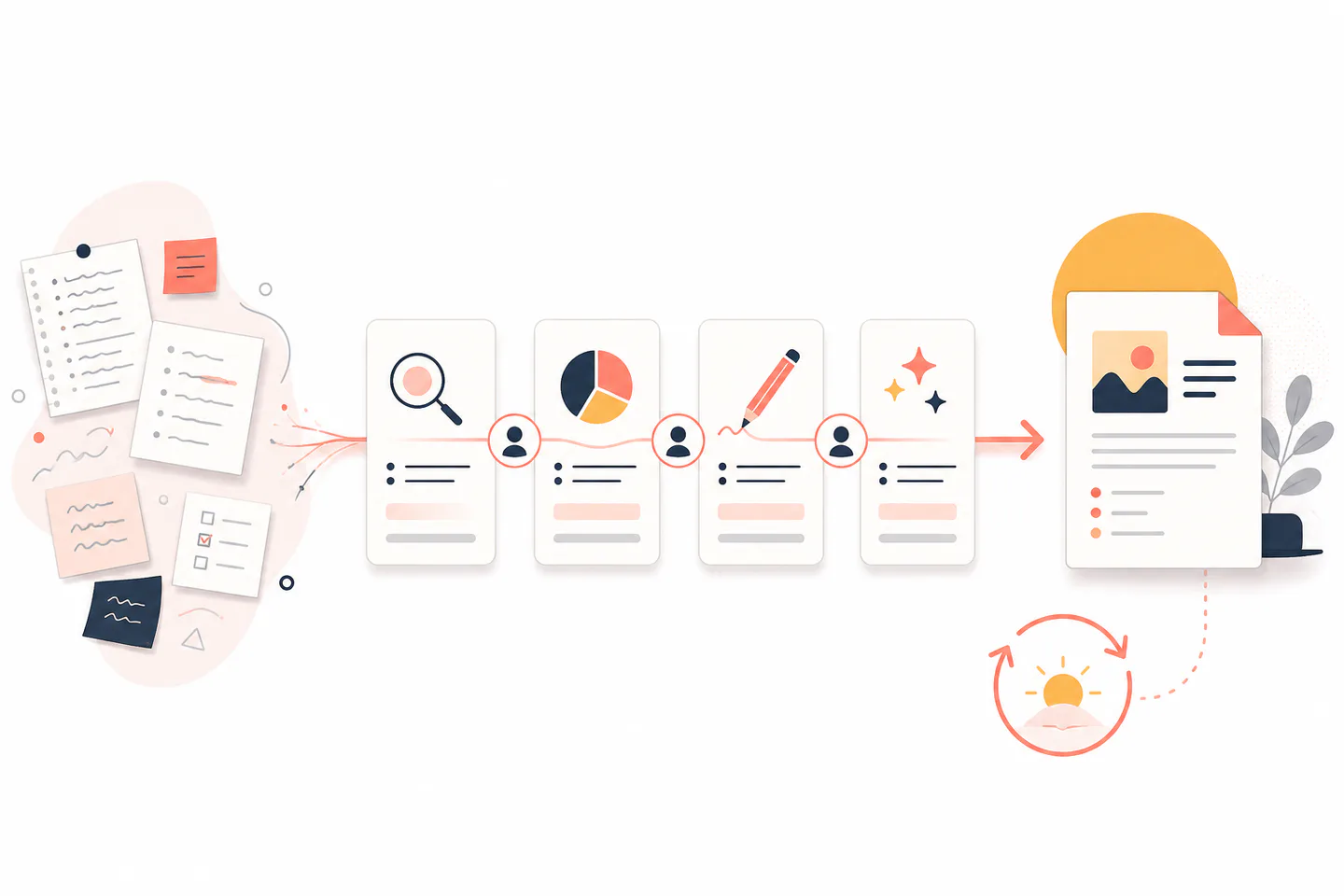
Expected result: recurring work begins with a named, tested system instead of an empty chat box.
The AirPrompter mental model
Prompt: one reusable responsibility
A prompt contains the instruction for one result: summarize notes, compare options, draft an outline, review a claim, or format accepted content. Values that change each time—such as a client name, audience, or source material—can be represented with {{snake_case}} placeholders.
Personal prompts are editable. When your process improves, update the prompt you already use. An edit does not create an immutable personal prompt version.
Workflow: an ordered path to a larger outcome
A workflow is an ordered list of prompts. Each step should produce something the next step can use or review. The sequence is useful when the work has a real handoff, approval, or change of responsibility—not merely because a long prompt can be split into smaller paragraphs.
Library: the operating shelf for your systems
Your Library keeps prompts and workflows together. Use clear names, Collections, Tags, search, and filters to find the right system by the job you need to do.
Execution surface: where the work happens
Choose how AirPrompter reaches the AI tool you are using:
| Choose | When it fits | What remains under your control |
|---|---|---|
| Browser extension | You work in supported browser-based AI chats and want the workflow beside the conversation. | You select the prompt, provide values, inspect the result, and continue each step. |
| Connect | A supported AI host should discover AirPrompter prompts or continue a workflow by name. | You approve the connection and permissions; the host executes each returned instruction with its conversation context. |
| Direct MCP | A qualified technical host needs a manual remote MCP connection. | You verify host support, transport, authentication, target, and the tools actually exposed. |
| Customer API | A program needs the key-associated identity or entitlement projection. | You create and protect the key, verify the resolved owner, and stay within the two current REST reads. |
| AirPrompter web app | You are creating, editing, organizing, or reviewing the system itself. | You decide what is saved and how it is organized. |
Availability differs by browser, host, account access, and rollout. The current Connectors page in AirPrompter is the authority for the options available to you.
Apply AirPrompter to your work
Meetings and client work
Build a workflow that turns source notes into decisions, owners, follow-up copy, and a final risk check. Reuse it for every meeting of the same type while changing only the notes, client, and due-date context.
Content and communications
Separate research, outline, draft, fact review, and formatting. This makes it clear whether a weak result came from missing evidence, a poor structure, or the final writing instruction.
Analysis and decisions
Use one prompt to normalize the evidence, one to compare it against explicit criteria, and one to write a recommendation that shows assumptions and unresolved risks.
From one good result to a reusable system
Use this lifecycle whenever an AI interaction is worth repeating:
- Notice the repeated job. Pick work you perform more than once and can describe by its desired outcome.
- Save the focused instruction. Keep the context, method, constraints, and output format that made the result useful.
- Test with representative input. Use realistic source material and check the result against explicit criteria.
- Split at meaningful handoffs. Add a workflow step when the next responsibility needs different evidence, expertise, output, or approval.
- Use it where you work. Run beside a supported AI chat or through a supported connected host.
- Improve the system. When output fails, change the responsible prompt or step instead of adding vague language everywhere.
Expected result: the name in your Library identifies a complete work outcome, and every step has a reason to exist.
Choose your starting path
How to know AirPrompter is working for you
You should be able to answer all four questions for a saved system:
- When do I use it? The name and description identify the recurring job.
- What changes each run? The source material and placeholders are obvious.
- What should the result contain? Every prompt defines its output.
- Where do I intervene? Review points and failure recovery are explicit.
If you cannot answer one of them, improve the prompt or workflow before relying on it for important work.
If you are unsure where to begin
- If you have one instruction that already works, start with Prompts.
- If the job needs research, drafting, and review, start with Workflows.
- If you want a complete example you can follow without designing the system first, use the Quickstart.
- If the system already exists and you only need to run it in an AI tool, choose the browser extension or Connect.
- If you are integrating a program or headless agent, start with the API surface guide before creating credentials.
- If you want AirPrompter’s authoring assistance to reflect how you work, configure account preferences.
Next step
Create a complete, reusable Meeting follow-up system in the first-workflow quickstart.