

AirPrompter documentation
Create your first reusable workflow
Build a two-step meeting follow-up system, test its accepted result, and know exactly where to repair a failure.
Available
- Outcome
- A private two-step Meeting follow-up workflow that creates an evidence-grounded record and independently audits it.
- Best for
- A first AirPrompter success you can reuse after recurring meetings.
- Before you begin
- An AirPrompter account and notes you are allowed to process in your chosen AI tool.
- You are done when
- The record passes its audit, the workflow is saved, and you know which producing step to rerun if it fails.
Before you begin
Confirm you can create a workflow and that the notes are approved for the AI tool you will use.
The workflow has only two responsibilities:
- Collect creates the complete factual meeting record: decisions, open questions, actions, owners, dates, and evidence.
- Audit independently compares that record with the original notes and returns an acceptance verdict.
Decisions and actions stay in one prompt because they use the same notes, extraction method, and record. The audit stays separate because it has different evidence, a different output, and an independent approval role.
Prepare safe sample input
Use approved real notes or this fictional sample:
Weekly launch meeting

- The team chose the smaller onboarding release for the first launch.
- Product lead will confirm final copy by Thursday.
- Engineering expects the account migration check to finish Friday.
- No owner was assigned to the help-center update.
- Open question: does Support need a customer email before launch?
- The launch date was discussed but not confirmed.
Remove passwords, credentials, payment details, health information, and personal or customer information your organization does not allow in the selected AI tool.
Build through the five product stages
The creation header shows Output Type → Workflow Structure → Build Steps → Add Details → Approve. A single-prompt creation uses Add Prompt instead of Build Steps at Stage 3.
Stage
Output Type
Tell AirPrompter what the finished work should be, not what the first step does.
- Sign in and select New Workflow.
- Under What do you want to make?, choose Text.
- Choose Document, then select Continue.
Expected result: Document is selected as the final output format.
Stage
Workflow Structure
Choose whether one coherent prompt or an ordered system should produce the result.
Choose Multi-Step Workflow because creation and independent acceptance have different outputs and retry points.
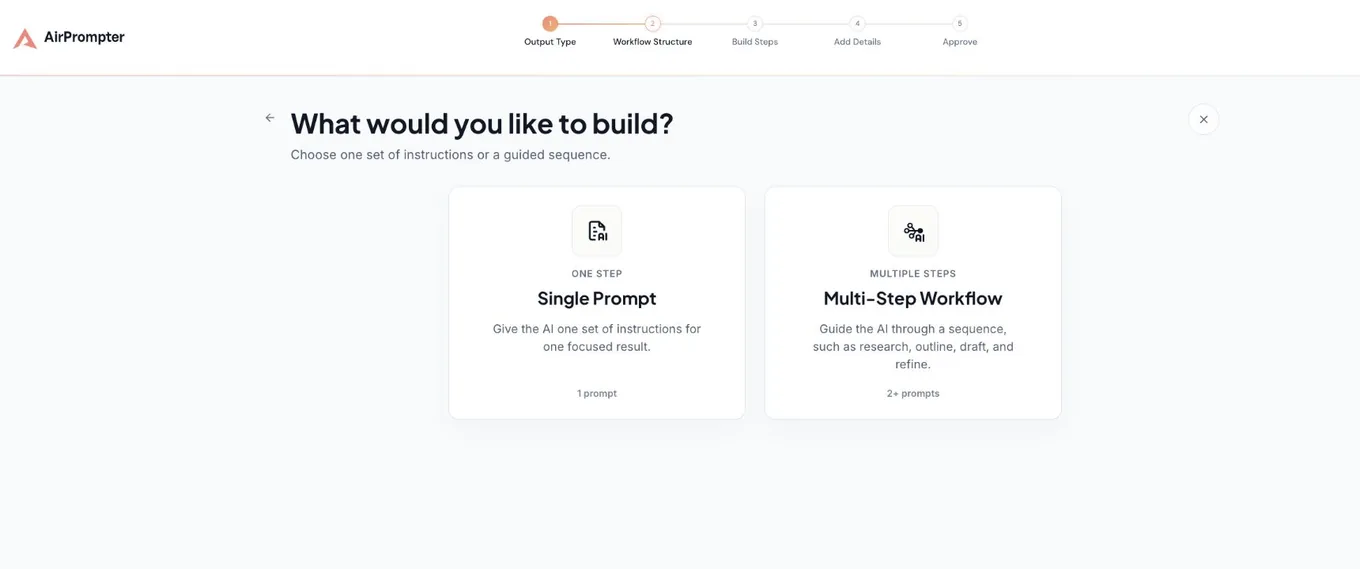
Expected result: Multi-Step Workflow is selected and the builder is ready.
Stage
Build Steps
Assign one complete, testable responsibility to each step.
Add Collect, choose Write a prompt, and use this instruction:
Role: You are a careful operations assistant.

Objective: Turn {{meeting_notes}} into an accurate follow-up record.

Use only facts stated in the notes. Separate confirmed decisions from proposals
and unresolved questions. Extract every action, owner, due date, and supporting
evidence. If an owner or date is missing, write "Not assigned" or "Not set".
Never invent one.

Output Markdown with exactly: Decisions, Open questions, Next actions, Risk note.
Format Next actions as a table with Action, Owner, Due date, and Evidence columns.
Keep the risk note to one sentence.
Add Audit after it, choose Write a prompt, and use:
Independently audit the meeting record from the prior step against both the
original meeting notes and the record. If either is unavailable, return NEEDS INPUT.

Check that every source decision, question, and action is represented; every owner
and date is supported or explicitly marked unknown; no proposal is called a decision;
no commitment is invented; and the risk note names the most consequential gap.

Output only:
1. PASS or NEEDS REVISION.
2. A checklist with evidence for each check.
3. A bounded correction ledger naming the source-supported change and responsible step.
Do not rewrite the record.
Use {{meeting_notes}} only for the value supplied each run. Refer to earlier results in prose—never create a {{previous_output}} variable.
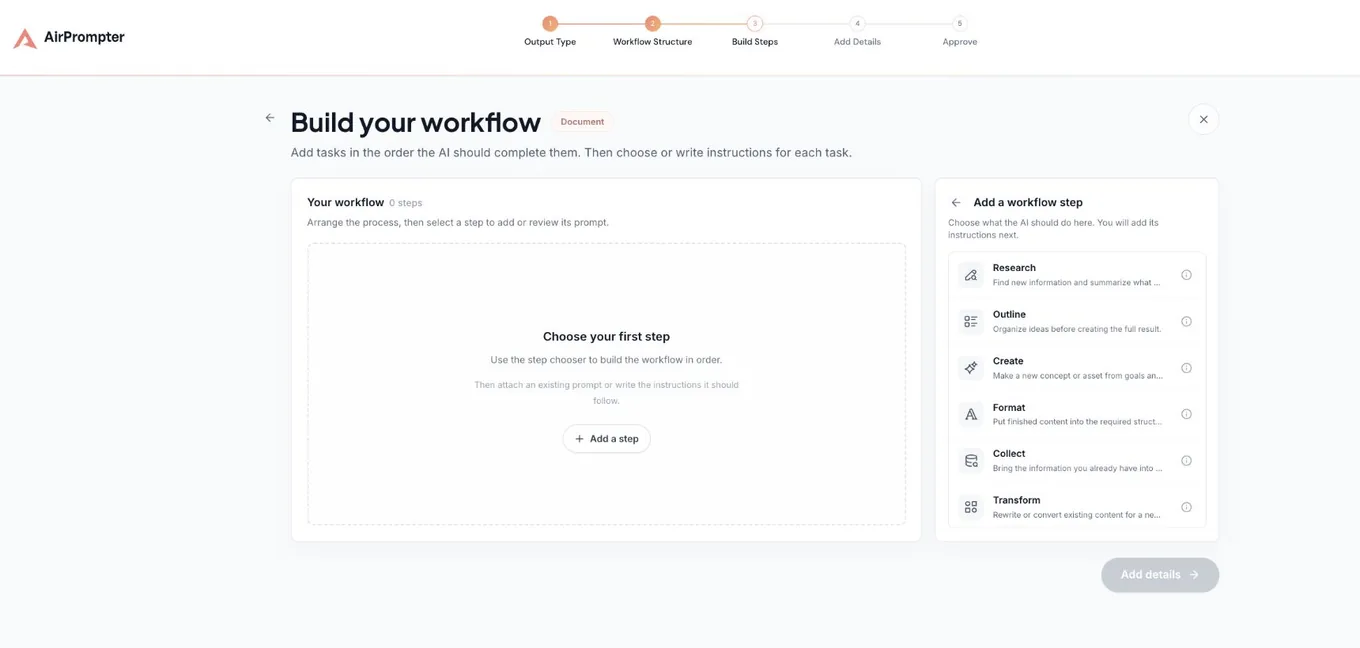
Expected result: The canvas contains Collect followed by Audit, and neither step is empty.
Stage
Add Details
Make the saved system easy to recognize and find weeks later.
- Select Add details.
- Name the workflow Meeting follow-up.
- Describe it as: “Use after a recurring meeting to create an accurate action record and verify it before follow-up.”
- Choose the categories that match the work and only the AI platforms where you expect to run it.
- Select Continue.
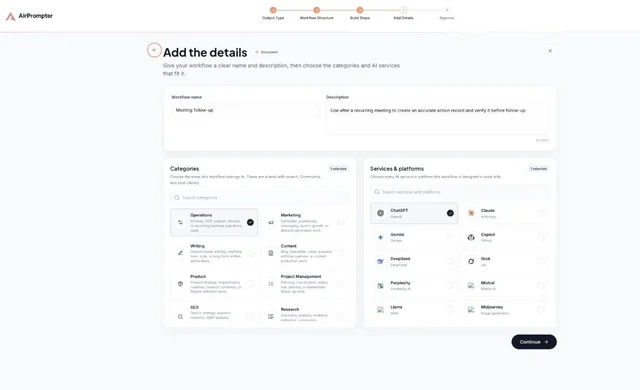
Expected result: The workflow has a job-focused name, usage description, and only relevant categories and platforms.
Stage
Approve
Inspect the complete system before it becomes a reusable Library item.
Check the output type, ordered map, Library preview, privacy state, categories, and platforms. Review each prompt’s title and description. Use concise prompt titles such as Meeting Record Builder and Meeting Record Audit, with a separate one-sentence description for each. Then select Save Workflow.
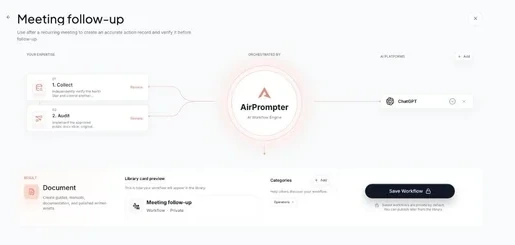
Expected result: The preview says Workflow and Private, Collect precedes Audit, both prompts are reviewed, and Save Workflow is ready.
Run it and recognize success
Open Meeting follow-up in the browser extension or ask a supported host through Connect. Supply the notes as meeting_notes, run Collect, inspect the record, then run Audit with the original notes and record available.
The safe sample’s work product should contain:
## Decisions
- Use the smaller onboarding release for the first launch.

## Open questions
- Does Support need a customer email before launch?
- What is the confirmed launch date?

## Next actions
| Action | Owner | Due date | Evidence |
| Confirm final copy | Product lead | Thursday | Stated in notes |
| Finish account migration check | Engineering | Friday | Stated in notes |
| Update the help center | Not assigned | Not set | No owner or date assigned |

## Risk note
The help-center update has no owner or due date.
The audit should return PASS when every fact is represented and unknown values remain explicitly unknown. It may still identify the unassigned help-center work as an operational risk; that does not make the factual record invalid.
- SourceApproved meeting notes
- Work productA complete factual meeting record from Collect
- Review gateAudit compares the notes and record
- Accepted resultThe record plus a PASS verdict
- If it failsCorrect or rerun Collect, then rerun Audit
See the failure path
If Collect changes “Product lead” to “Maya,” the auditor should return NEEDS REVISION with a correction such as: “Remove invented owner Maya; use Product lead as stated in the notes.” Repair Collect’s output first, then rerun Audit. Do not ask the audit step to silently rewrite the record.
For low-risk work where independent acceptance adds no value, put the checklist in one producing prompt. Here the separate gate is justified because unsupported commitments can affect other people.
Reuse and improve it
For the next meeting, reopen Meeting follow-up, replace only meeting_notes, and run the same sequence. Do not duplicate the workflow.
- If facts are missing or invented, improve or rerun Meeting Record Builder.
- If the record is correct but a defect passes review, improve Meeting Record Audit.
- If both prompts need the same manual correction every run, improve the shared source input or the earliest producing step.
You have reached the North Star when the accepted record is useful in daily work, the audit verdict is understandable, and every failure points to one obvious repair location.
Expected result: a saved private workflow, an accepted meeting record, a PASS verdict, and one clear repair path for any failed check.
Troubleshooting
Add details is disabled
Every step needs an assigned prompt with the required content. Open the incomplete step and finish it.
A placeholder remains visible
Provide meeting_notes before running and confirm the variable uses matching double braces.
The audit returns NEEDS INPUT
Make both the original notes and generated record available to the audit. Independence requires source comparison, not review of the generated record alone.
Save reports a limit or access issue
Follow the account guidance shown in AirPrompter. Do not make duplicate items to work around the message.
Completion checklist
- Meeting follow-up is saved as a private Workflow.
- Collect produces the complete factual record without invented facts.
- Audit compares the original notes and record and returns PASS.
- You know to repair Collect before rerunning Audit after NEEDS REVISION.
Next step
Use the workflow design guide to adapt the same input → work product → review gate pattern to your own recurring job.