

AirPrompter documentation
Design and run workflows
Turn a recurring job into distinct responsibilities with explicit handoffs, review gates, and one obvious repair point.
Available
- Outcome
- A named workflow whose steps have distinct responsibilities, output contracts, consumers, and acceptance checks.
- Best for
- Recurring work where evidence, expertise, output form, retry point, or human approval changes.
- Before you begin
- A representative input and a clear final result; existing Library prompts are optional.
- You are done when
- A normal and difficult run both produce an accepted result, and every failure has one earliest repair point.
Before you begin
Choose a recurring job, one representative input, and the exact artifact that should exist when the work is complete.
A workflow is valuable because its handoffs are useful—not because it contains many prompts.
Use the split-or-merge test
Keep one prompt when the same input, method, output, and evaluation form one coherent responsibility. Split only when evidence, expertise, output contract, intended consumer, independent evaluation, human approval, or retry point changes. Merge an adjacent step that merely continues, restates, extracts another field from the same source, or cosmetically reformats work its producer could cleanly deliver.
| Decision | Example | Why |
|---|---|---|
| One prompt | Extract decisions, questions, actions, owners, and dates from meeting notes | Same evidence, method, and record |
| Split | Create the record, then audit it against the source | Different contract, gate, and retry point |
| Merge | Analyze vendors, then evaluate the same vendors against the same criteria | Same comparison responsibility |
| Split | Compare vendors, then write an executive decision brief | Different audience and output contract |
Define the saved system contract
Before opening the builder, write the Trigger, Source input, ordered Responsibilities, exact Output, Review gate, and Destination. For every proposed step, name its input, one responsibility, output structure, consumer, and acceptance check. If two adjacent rows have the same five answers, merge them.
Build through the five stages
Stage
Output Type
Choose the final deliverable, not an intermediate step.
Select New Workflow, choose the output family and closest format, then continue.
Expected result: The selected output type describes what the complete workflow produces.
Stage
Workflow Structure
Choose an ordered workflow only after the split-or-merge test proves useful handoffs exist.
Choose Multi-Step Workflow. If the job is coherent without an independent handoff or gate, choose Single Prompt instead.
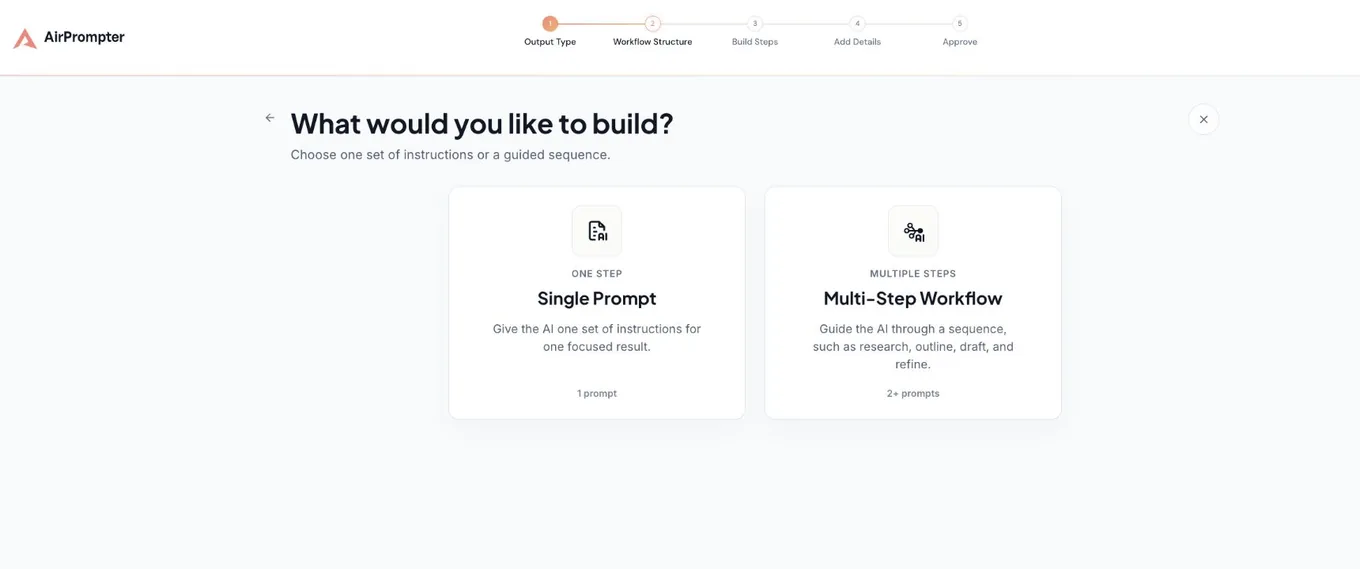
Expected result: Multi-Step Workflow is selected for a job with at least two meaningful responsibilities.
Stage
Build Steps
Assign a focused prompt to each responsibility in dependency order.
- Choose the closest task type.
- Attach a Library prompt or write a new one.
- Define the exact input and bounded output.
- Add the next step only when it passes the split test.
- Reorder when a required input does not yet exist; remove pass-through work.
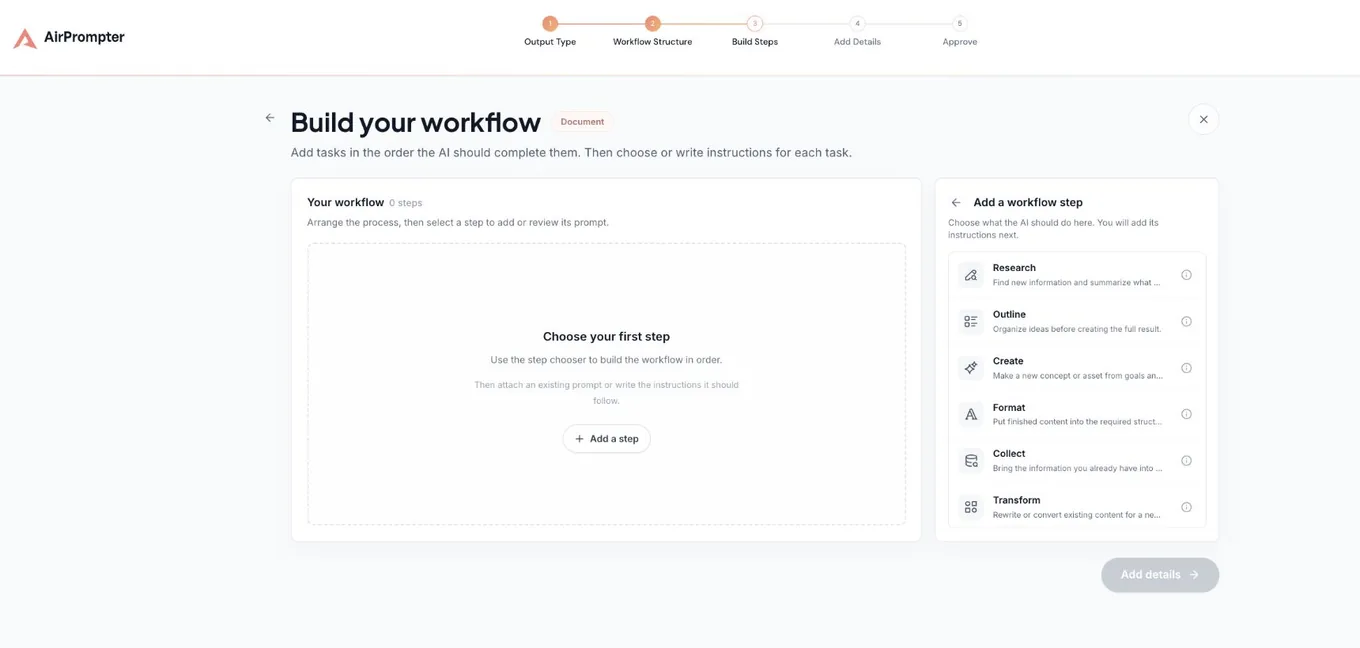
Expected result: Every step has a prompt, distinct output, named consumer, and acceptance check.
Stage
Add Details
Make discovery and intended use obvious.
Name the full outcome, state when to use it and what it produces, select relevant categories, and include only supported execution platforms. Then continue.
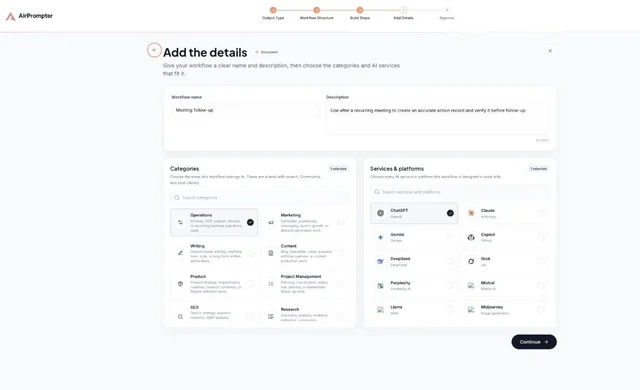
Expected result: Name, description, categories, and platforms describe the complete recurring job.
Stage
Approve
Review the entire system before saving it to the Library.
Verify the workflow map, prompt titles and descriptions, output type, Library preview, privacy state, categories, and platforms. Confirm every variable changes per run. Do not use {{previous_output}}; reference every prior result in prose. Select Save Workflow only after the map matches the contract.
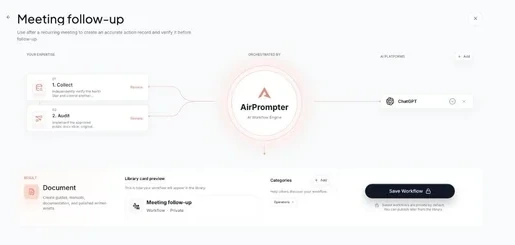
Expected result: The workflow is private, ordered correctly, fully reviewed, and ready to save.
Write reliable handoffs
The producing step defines what the next step receives:
Output a research table with Claim, Evidence, Source, Confidence, and Open question.
Do not write the recommendation.
The consumer names how it uses the accepted result:
Using the accepted research table, compare supported options against
{{decision_criteria}}. Exclude low-confidence claims from the recommendation.
Double braces are for user-supplied values. Earlier-step context is handled by the execution path.
Use coherent workflow recipes
Weekly operating review
- Collect updates into an evidence table.
- Analyze movement, blockers, and contradictions into a decision brief.
- Audit the brief against updates for owners, dates, evidence, and unresolved risk.
Why this is a workflow: normalization, synthesis, and independent checking produce different artifacts and retry points. Merge it when: inputs already use the exact required table and no independent review is needed.
Content production
- Research the question into a source-backed evidence set.
- Outline the reader journey and claim placement.
- Draft only from the accepted outline and research.
- Audit claims, required sections, and audience fit.
- Finalize only accepted corrections into delivery-ready copy.
Why this is a workflow: evidence, structure, prose, independent review, and controlled revision each have a distinct contract. Merge it when: a low-risk short message can be drafted and checked coherently in one prompt.
Vendor decision
- Collect heterogeneous proposals and requirements into one evidence matrix—skip this when sources are already normalized.
- Evaluate options against supplied
{{decision_criteria}}, producing a recommendation with assumptions and unknowns. - Audit criterion coverage and evidence traceability, returning PASS or a correction ledger.
- Transform the accepted analysis into an audience-specific decision brief.
Why this is a workflow: normalization is conditional, evaluation makes the decision, audit gates unsupported claims, and transformation serves a different audience. Merge it when: one short normalized input can be compared and written for one audience without a separate approval gate.
- SourceApproved proposals, requirements, criteria, and audience
- Work productEvidence-backed recommendation with unknowns
- Review gateTraceability audit against matrix and criteria
- Accepted resultAudience-specific decision brief from accepted analysis
- If it failsReturn to the earliest matrix, evaluation, or audit defect
Run it in the right surface
Use the browser extension beside a supported AI chat when you want visible, manual control of each step. Supply variables, inspect each output against its acceptance check, and continue only when it is safe context.
Use Connect when a supported AI host is authorized to find and continue workflows by name. Ask the host to identify required inputs before starting. Host capability and permission vary; the current Connectors page is authoritative.
Evaluate and repair the earliest defect
Run one ordinary and one difficult case. Record whether each input was present, output matched its contract, gate caught a meaningful issue, and consumer could proceed without repairing hidden defects.
| Symptom | Earliest repair |
|---|---|
| Research contains unsupported claims | Research source and evidence rules |
| Outline misses a required topic | Outline coverage contract |
| Draft ignores evidence | Draft input and citation contract |
| Audit says “looks good” without checks | Audit criteria and verdict format |
| Finalize changes approved meaning | Finalize preservation rules |
| Every step needs the same correction | Shared input or first producing step |
Stop before weak context compounds. Correct or rerun the responsible producer, then rerun every downstream gate that depends on it.
Expected result: the accepted final artifact can be traced to approved source material, and any failure identifies one earliest responsible step.
Troubleshooting
Add Details is disabled
Open every incomplete step and assign a Library prompt or complete its instruction.
Two steps produce nearly the same answer
Fill in Input, Responsibility, Output, Consumer, and Acceptance for both. Merge them when those contracts do not materially differ.
A later step lacks context
Fix both sides: the producer must output required fields, and the consumer must say how it uses the accepted result.
A connected host cannot run it
Confirm the connection, exact workflow name, host tool list, and permissions on Connect. Review Personal and Team credential boundaries in API keys and scopes.
Completion checklist
- The name describes the final outcome.
- Every step has one responsibility and a named consumer.
- Each handoff changes evidence, expertise, output, retry, or approval.
- Variables are consistent and previous results are referenced in prose.
- A normal and difficult run meet explicit acceptance checks.
- Every failure points to one earliest repair location.
Next steps
Run the system with the browser extension or authorize a supported host through Connect.